How to complete KYB verification for your customers
To ensure security and regulatory compliance, all companies using Conduit’s solutions must go through the KYB (Know Your Business) process. This also applies to customers of these companies, who must complete verification before conducting transactions.
This procedure aims to protect the payments ecosystem from fraud, money laundering, and other illicit activities, while ensuring that only legitimate businesses have access to the platforms, thereby strengthening trust among all participants.
How is the KYB process conducted at Conduit?
At Conduit, we use the AiPrise platform, a global company specializing in automated compliance and corporate verification solutions (KYB and KYC), ensuring full security and compliance with international regulatory standards.
This solution allows us to perform comprehensive verification of partner companies and their customers, including analysis of corporate structure, identification of ultimate beneficial owners (UBOs), validation of official documents, and checks against sanctions and compliance lists.
How does the KYB process work for your customers?
Here’s a step-by-step explanation of how the process works:
1. Register your customer on Conduit
To start your customer's verification process, you need to quickly register them on the Conduit platform as follows:
After logging into your Conduit account, navigate to the left-hand menu, click on Customers, and then select Add New Customer.
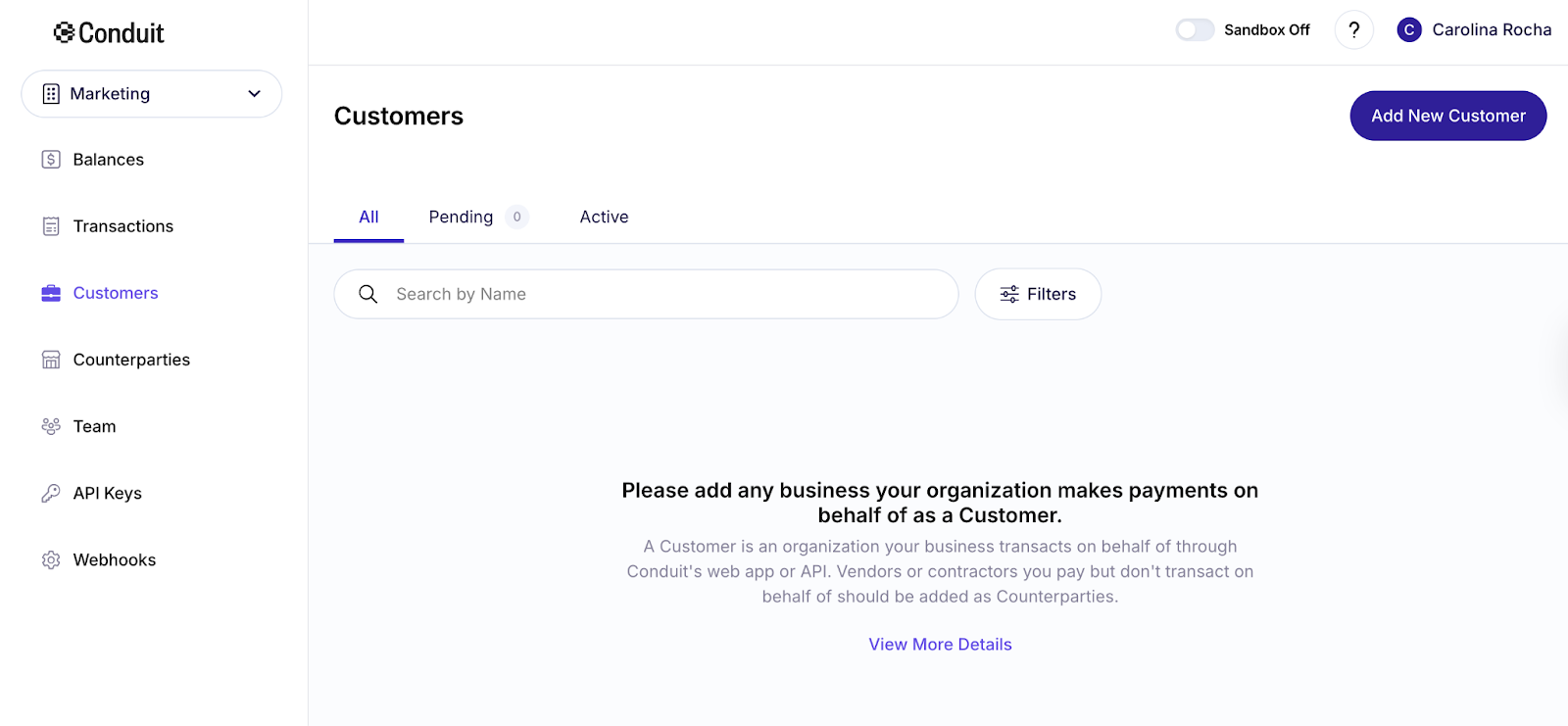
After entering your customer's company name and country of registration, click on Generate KYB Link. An AiPrise link will be automatically generated, ready to be copied and shared with your customer to start the KYB process.
💡Note: You can also offer your users a fully customized and automated experience by integrating Conduit’s API. This allows you to build automated workflows for information requests, eliminating the need to manually send clients any links or forms.
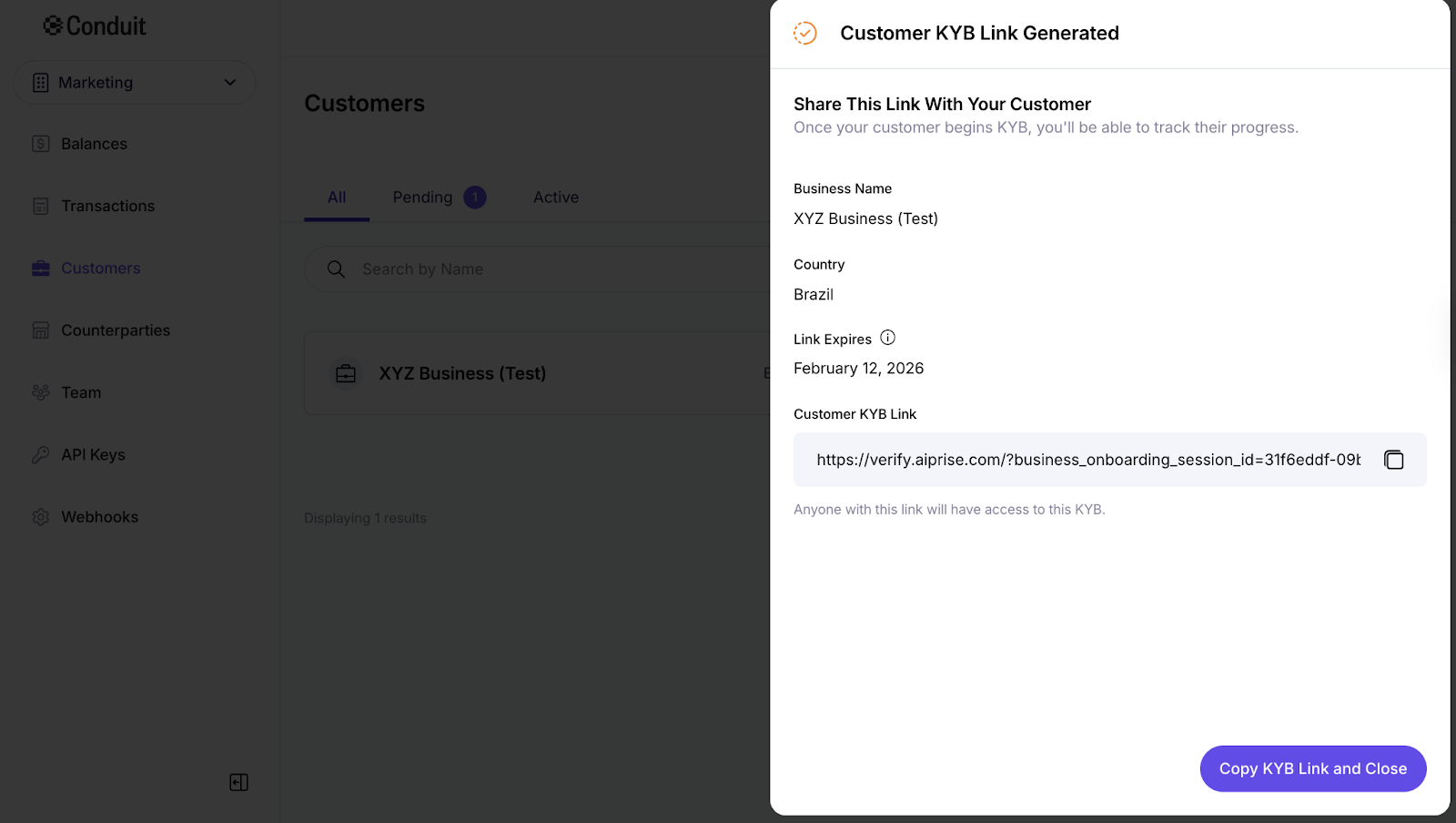
By accessing the AiPrise link, your customer can start the verification process immediately.
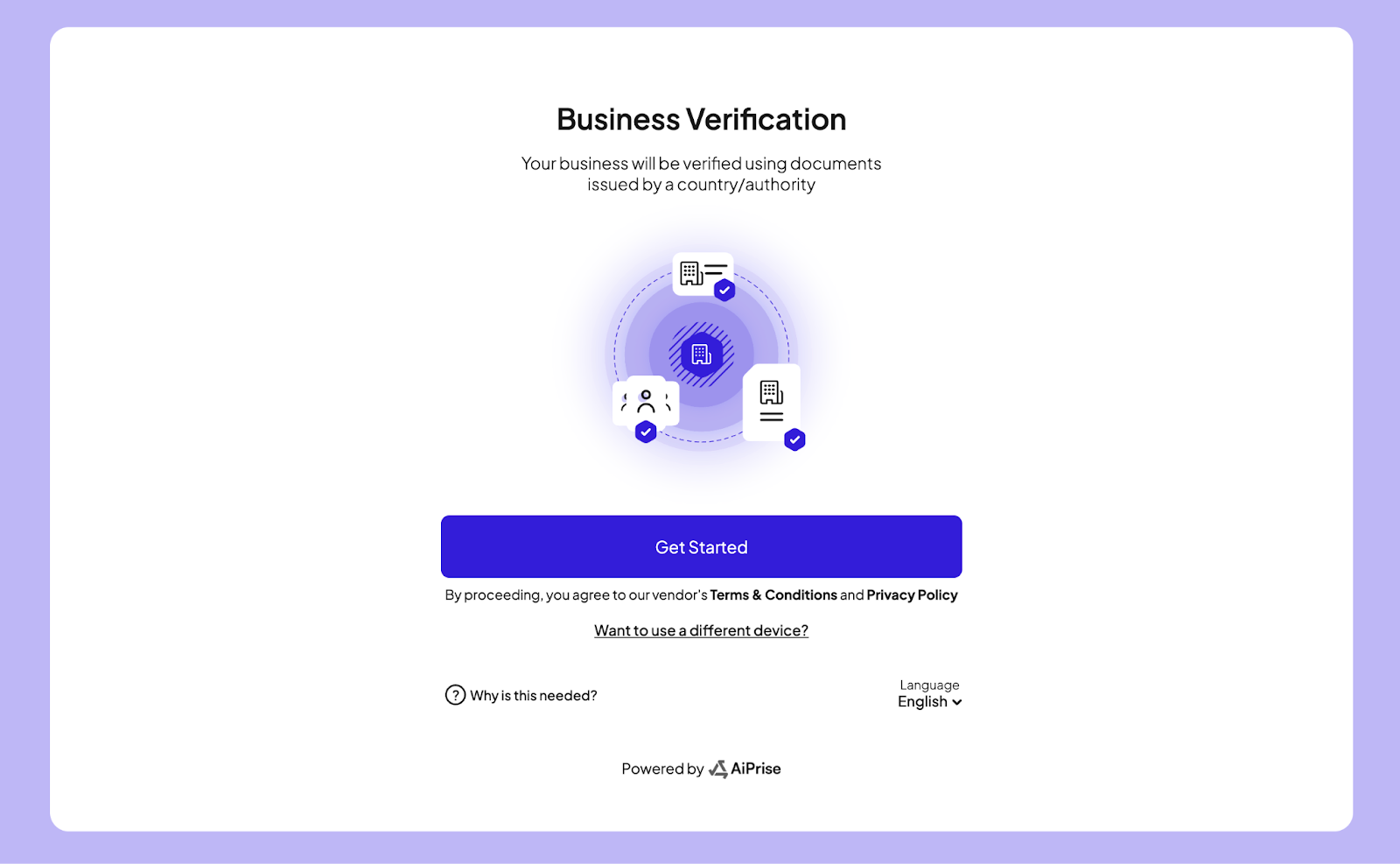
2. Submitting Company Information
When starting the verification process, your customer will need to provide the company’s registration and legal information (name, country of registration, identification number, address, etc.) and upload the required documents. All information and files are submitted directly through the AiPrise platform.
The platform offers a simple and intuitive experience for submitting your customer information and uploading documents in steps.
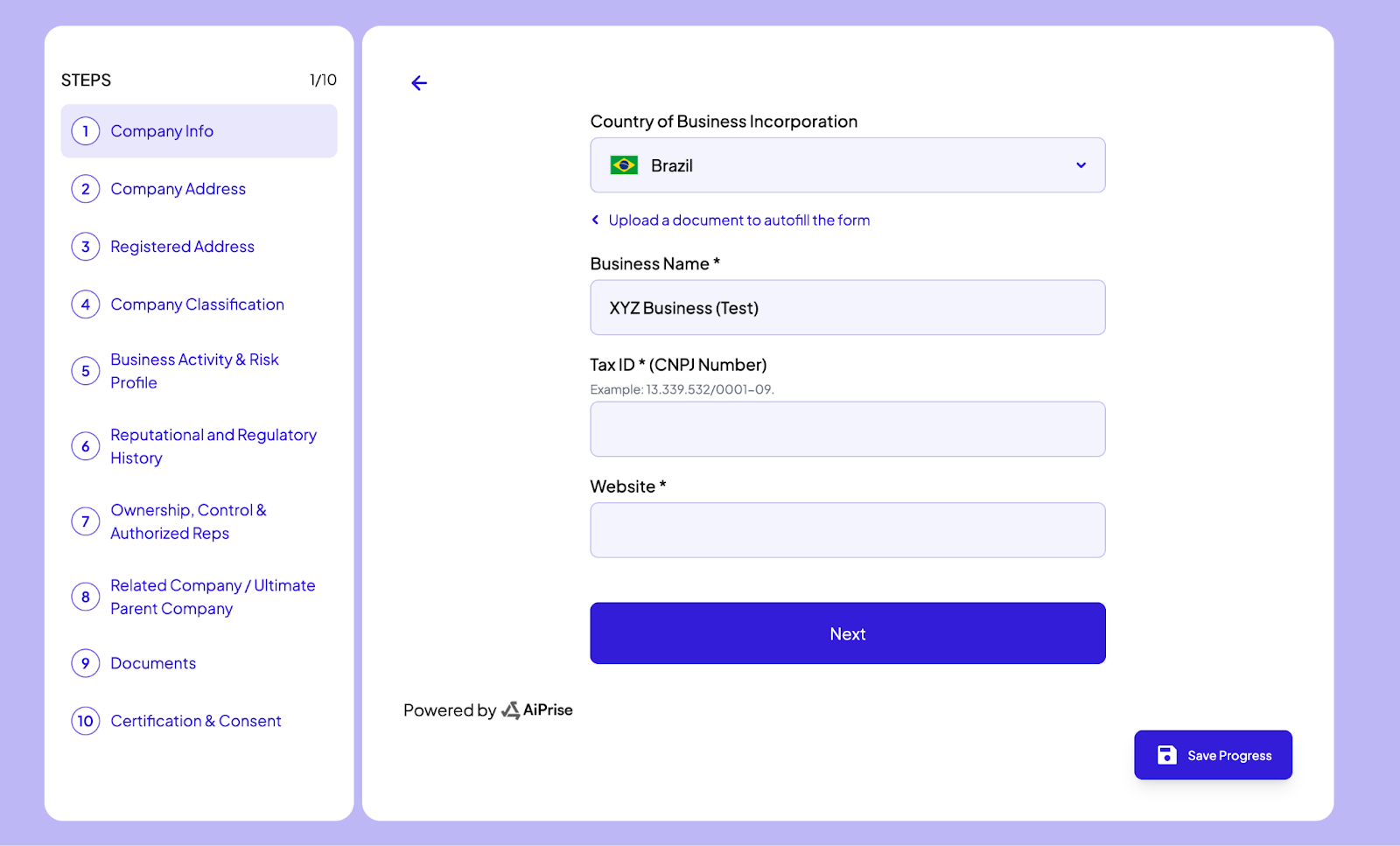
💡 It is possible save the progress at any time and return later without losing any of the data you’ve already entered.
Check the complete list of documents required for customer KYB
This is the standard documentation to be uploaded at the end of the KYB process. It is important that your customer ensures that the information in the documents (names, addresses, etc.) matches the details provided in the previous steps, as discrepancies could delay the verification process.
📄 Standard Documentation for Customers:
- Business Registration Document
- Shareholder Registry
- Bank Statements (most recent three, covering 90 days)
- Tax Certificate
- Organizational Chart (if owned by another company)
- Directors Registry (if applicable)
- Articles of Incorporation
- Proof of Registered Address
- Proof of Physical Address
- Authorized to Act on Behalf of the Company (Legal Representative): Documentation confirming that the legal representative is authorized to act on behalf of the company. If the representative is a UBO or director, the appointment document showing their authority is sufficient. If the representative is an external party, a valid Power of Attorney (POA, AOA, PPTA, etc.) must be provided.
- Supporting documentation for institutional investors (if they own more than 5%)
- Proof of Regulatory Authorization or Licenses (if regulated)
- AML Audit Program (If Applicable)
- Beneficial Owner Identification Documents (Government ID, Passport, or equivalent)
📄 Supplemental Documents Required – Enhance Due Diligence
- Operating License
- Independent AML or Compliance Program Audit Report
- Supporting documentation for institutional investors (e.g., shareholder registry, cap table, investment agreement)
3. Automated Verification by AiPrise
The platform performs real-time automated verification of the submitted data and documents, cross-checking them with public and international sanctions and compliance databases, such as:
- PEP (Politically Exposed Persons) lists
- Global sanctions lists (OFAC, UN, EU, among others)
- Official corporate registries
This process ensures that your customer is properly registered and that its representatives and beneficial owners do not present regulatory risks.
4. Review and Approval
After the automated checks, Conduit’s compliance team reviews the results and, if necessary, requests additional information. Once all checks are completed, the company is approved in the KYB process and can proceed with the use of Conduit’s services.
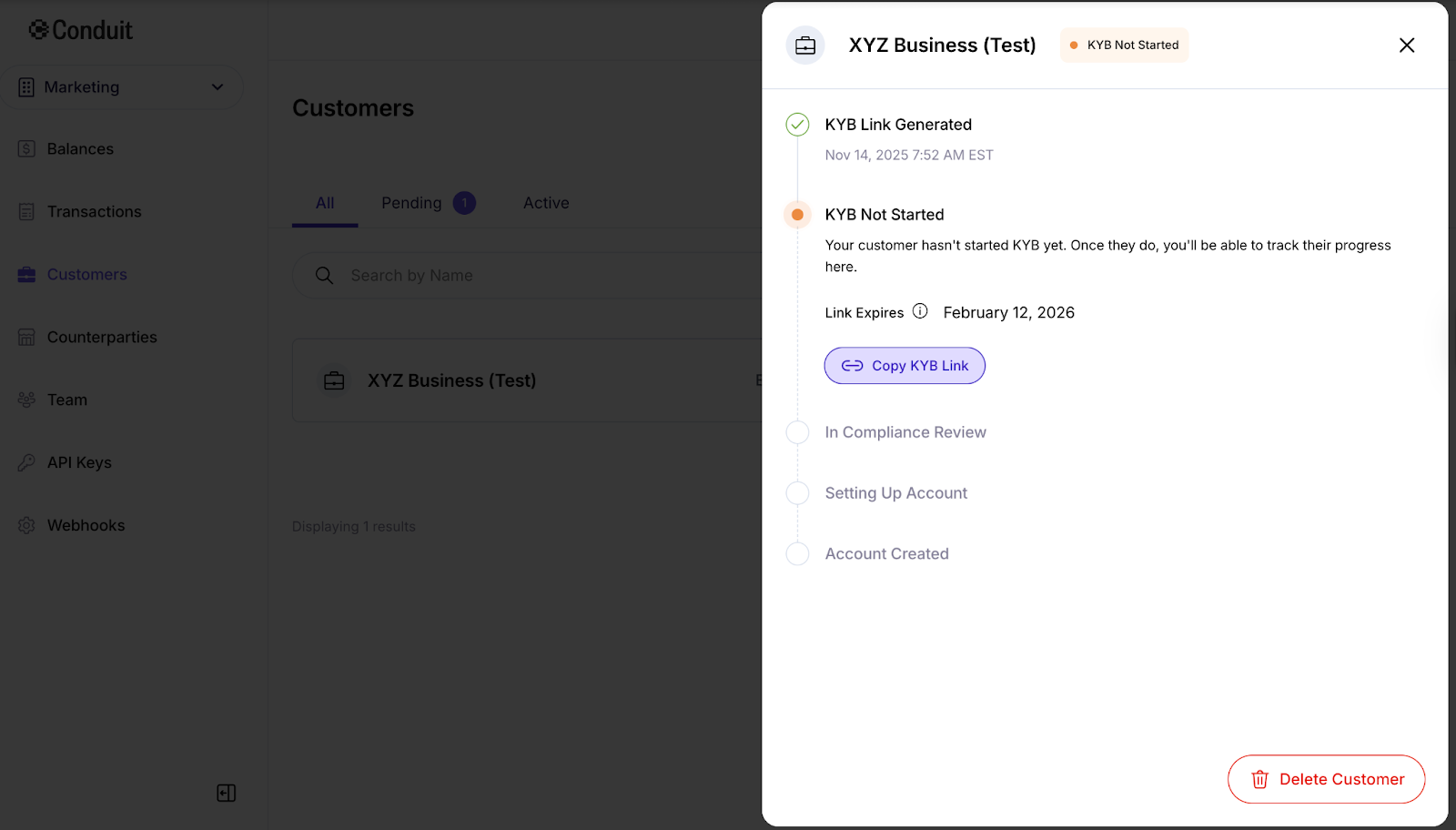
You can also track the status of your customer's verification process and account creation directly on the Conduit platform by accessing their information in the Customers section.
5. Ongoing Updates
Even after initial approval, Conduit performs continuous monitoring to ensure that all customers remain compliant, automatically updating information and sanctions lists through AiPrise.
With KYB, everyone gains the security needed to operate globally, carrying out international transactions with transparency and peace of mind.
❔Questions? Contact the Conduit Team
Still have questions about the KYB process for your customers? Reach out to the Conduit support team - we’re ready to help!
If you encounter any issues during the KYB submission process, our support team is here to assist you. Contact us at compliance@conduitpay.com for help.
