Frequently Asked Questions (FAQ) - Customizable Take Rates
1. What is a take rate?
Your take rate is the margin you earn on each transaction processed through Conduit.
Example: a 0.20% (20 bps) take rate on 10,000 USD earns you 20 USD.
2. What is a spread?
A spread is a small adjustment to the FX rate that embeds your margin directly in the exchange rate instead of showing a separate fee.
3. How are Conduit’s and my spreads related?
Conduit applies a base spread (our margin), and you add an additional spread (your margin). Together, these two components form the final FX rate shown to your customer.
How your revenue is calculated
Your revenue comes from the difference between the rate Conduit gives you and the rate your customer receives:
Your revenue = Customer Rate – Conduit Rate
This margin is automatically converted to USDC and counted as your take-rate revenue.
Why spreads ≈ take rates
For small values (e.g., 5–30 bps), a spread expressed in bps behaves almost exactly like a take rate in bps, because the spread is applied directly to the transaction amount. Differences only become noticeable at larger spreads.
4. Can I set a take rate instead of a spread?
Not directly. Today, take rates are applied through FX spreads (in basis points), because our quoting engine adjusts the exchange rate, not a percentage fee.
For practical purposes, small spreads behave almost exactly like take rates:
- A 25 bps spread ≈ 25 bps take rate
- A 10 bps spread ≈ 10 bps take rate
- And so on.
Why this equivalence works only for small values
A spread changes the FX rate, which then gets multiplied by the transaction amount. When the spread is small (5–30 bps), the adjustment to the FX rate is tiny, so:
- the effective margin you earn
- and the bps you applied
They are nearly identical.
What happens with larger spreads
Once spreads get bigger (50+ bps):
- the adjustment to the FX rate becomes more noticeable
- compounding effects show up
- rounding differences accumulate
- the “bps spread” no longer matches the “effective bps of revenue” perfectly
In other words:
- Small spreads > spread (bps) ≈ take rate (bps)
- Large spreads > spread (bps) ≠ take rate (bps), small variances appear
This is true for all FX engines because the spread modifies the rate, not the notional, which creates slight non-linearities at higher values.
5. Who earns what in a transaction?
Each transaction contains two margin components:
- Conduit’s margin (already included in the rate you receive)
- Your margin (the additional spread you add for your customer)
You earn the difference between your customer’s rate and the Conduit rate.
Conduit earns the difference between the market rate and the Conduit rate.
Example
Scenario:
- Transaction: 100 EUR > USD
- Market rate: 1.1600
Below is a simple, document-friendly breakdown:
Rate Progression

How Revenue Is Calculated (Clear Formulas)
- Conduit Revenue
Conduit Revenue = (Market Rate – Conduit Rate) × Notional
= (1.1600 – 1.1575) × 100 EUR = 0.25 USD - Your Revenue
Your Revenue = (Conduit Rate – Customer Rate) × Notional
= (1.1575 – 1.1550) × 100 EUR = 0.25 USD
Summary
- Conduit earns the margin built between market > Conduit rate.
- You earn the margin between Conduit rate > customer rate.
- Your revenue is automatically converted to USDC and appears in your dashboard once the transaction settles.
6. Why does the system use spreads instead of take rates?
FX engines quote based on exchange rates, not revenue percentages. Using spreads ensures accurate pricing, fewer rounding issues, and compatibility with liquidity providers.
7. Why do my manual calculations sometimes differ by a few cents?
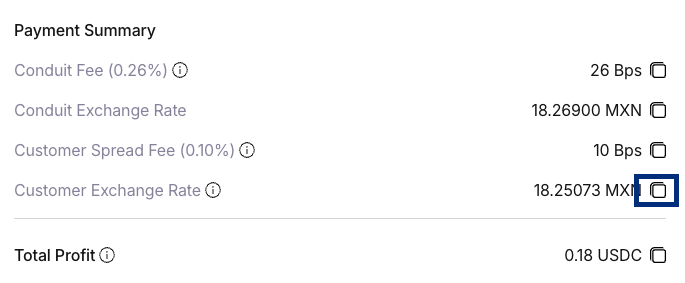
The Web Portal displays FX rates with 5 decimal places for readability. Internally, the system uses the full-precision rate provided by our liquidity sources.
Because your manual calculation uses the rounded value and the system uses the exact value, small differences (usually a few cents) may appear.
Example (USD > MXN)
Scenario:
- You’re converting 1,000 USD
- Displayed customer rate (rounded to 5 decimals): 17.54321
- Actual internal rate (full precision): 17.5432139846
Manual Calculation Using Displayed Rate
1,000 USD × 17.54321 = 17,543.21 MXN
System Calculation Using Full Precision Rate
1,000 USD × 17.5432139846 = 17,543.2139846 MXN
Rounded > 17,543.21 MXN or 17,543.22 MXN depending on the currency pair rules
Difference
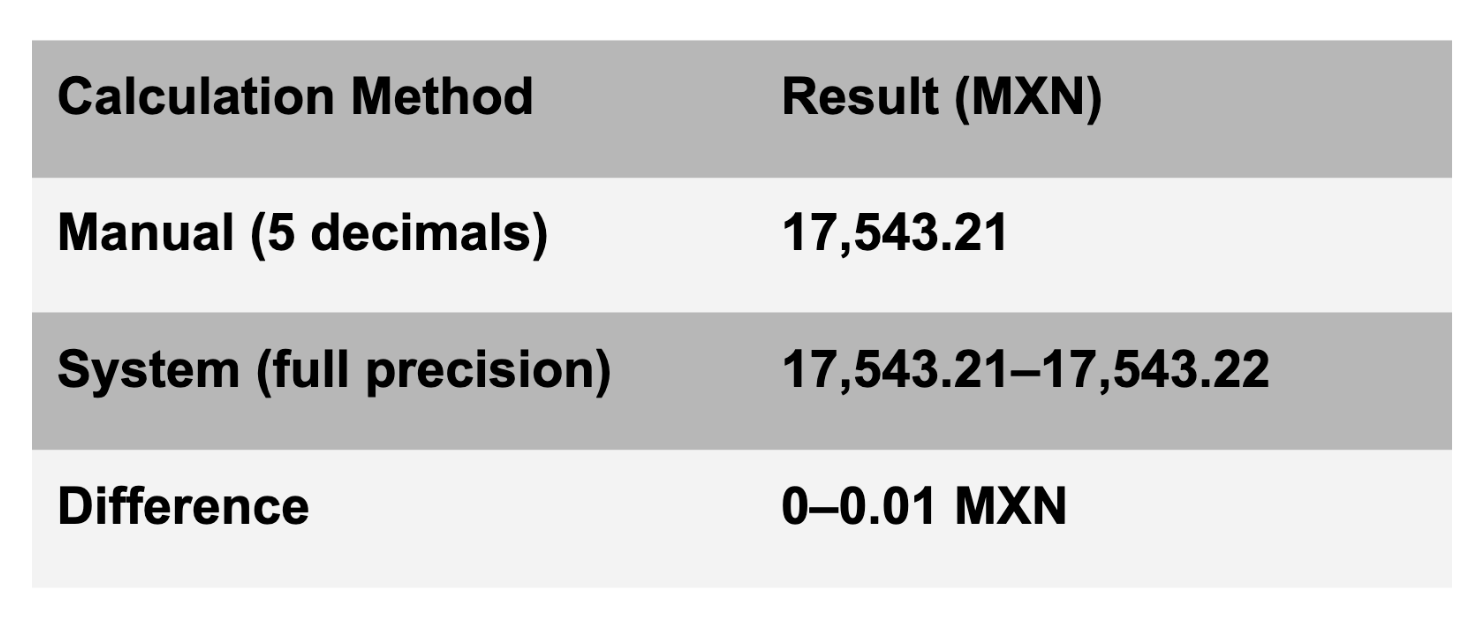
A difference of less than one cent appears because the displayed rate is rounded for readability, while the engine uses the exact value.
8. Can I see the full precise rate?
Yes. Use the copy button next to the FX rate to copy the full-precision value used in the calculation.
9. How long are quotes valid?
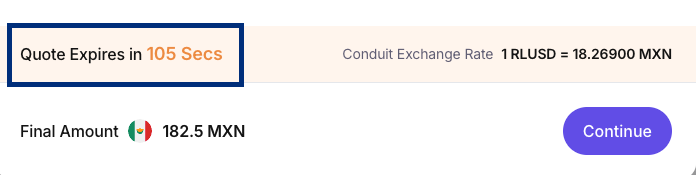
Quote expiration is determined by the liquidity provider that supplies the FX rate. Most providers use short validity windows to protect against market volatility. Typical validity windows 175 secs.
These windows are general guidelines. Actual validity always depends on the provider’s live pricing.
10. What happens if a quote expires before the transaction is confirmed?
If the quote expires before you click Confirm, the system cannot execute the transaction with that rate. When this happens:
- The quote becomes invalid
The rate is no longer locked. - A new quote must be fetched automatically
The system will request a fresh FX rate from our provider. - The final customer rate and amounts may change
If the market has moved (even slightly), the new rate may be different. - You must review and approve the updated quote
To ensure pricing transparency, you must confirm the new rate before the transaction proceeds.
11. When and how is the take rate applied?
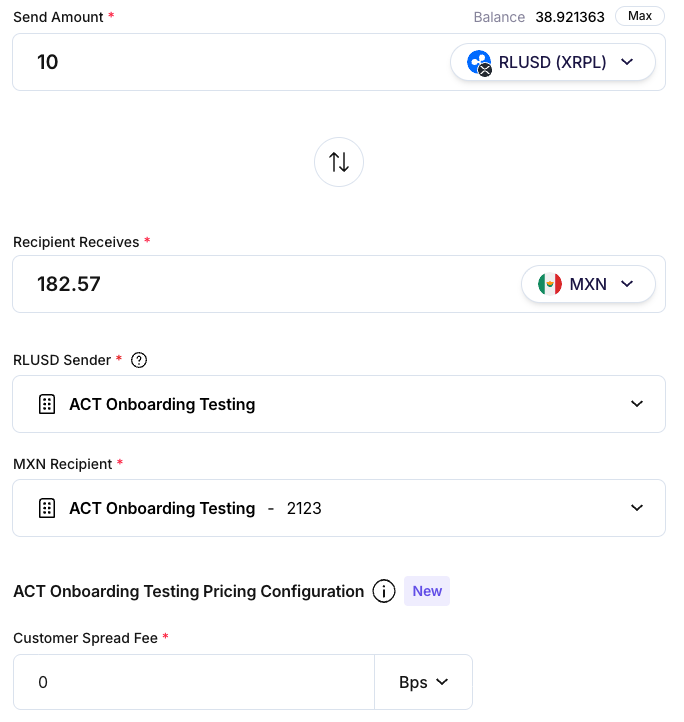
You apply the spread during each transaction. The system then uses it to calculate the final rate and your revenue.
12. Can I configure take rates per customer?
Not yet.
Current version = per transaction. Next version = predefined customer-level take rates.
13. What happens if I change my spread mid-month?
Only future transactions use the new spread. Past transactions keep their original calculated revenue.
14. Why do I see revenue in USDC if my transactions are in other currencies?
All revenue is converted and paid in USDC for simpler reconciliation and no FX exposure on your earnings.

15. When does revenue appear in my dashboard?
Revenue appears once the transaction is successfully settled. Pending/failed transactions do not contribute.
16. Is my revenue mixed with Conduit’s?
No. Your revenue is tracked in a dedicated ledger account, separate from Conduit’s operational balances.
17. When and how do I get paid?
In the first version of this feature:
- Payouts occur monthly
- Payments are sent in USDC in your Conduit USDC wallet.
- Transfers happen at the start of each month
18. Can I withdraw revenue on demand?
Not in the current version. Monthly payouts only.
Future updates will allow on-demand withdrawals.
19. How can I see my total margin?
Your dashboard shows:
- Total Revenue (month-to-date) in USDC
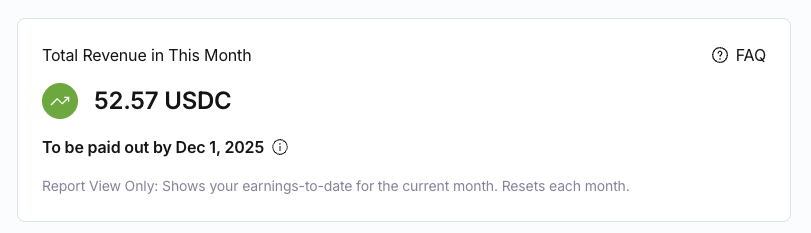
You can also view revenue per transaction.

20. How do fees appear to my customers?
Customers only see:
- The final FX rate
- The send amount
- The receive amount
They do not see your fee or breakdown. Inside the portal, you can see all components.
21. Who do I contact if something looks incorrect?
Email support@conduit.financial or contact your account manager.Include the transaction ID and currency pair for faster support.
For more information, reach out to the Conduit support team at support@conduitpay.com.
