How to use the Customizable Take Rates feature
Conduit’s new Customizable Take Rates feature allows our clients to configure and apply their own spreads or markups on top of our base FX and payment rates. This gives you full control and flexibility over your pricing process, enabling you to set consistent commercial margins and expand your revenue opportunities.
What is the purpose of Customizable Take Rates?
When you offer payment or FX services to your customers using our platform, you may need to apply a margin or markup that reflects your business model. With Customizable Take Rates, you can:
- Configure take rates per transaction.
- Ensure your quotes automatically include the desired margin.
- Offer predictable and consistent pricing without relying on manual calculations or external systems.
- Generate liquidity for your business.
Step-by-Step: How to use the feature and configure your own rates
1. Create a new transaction
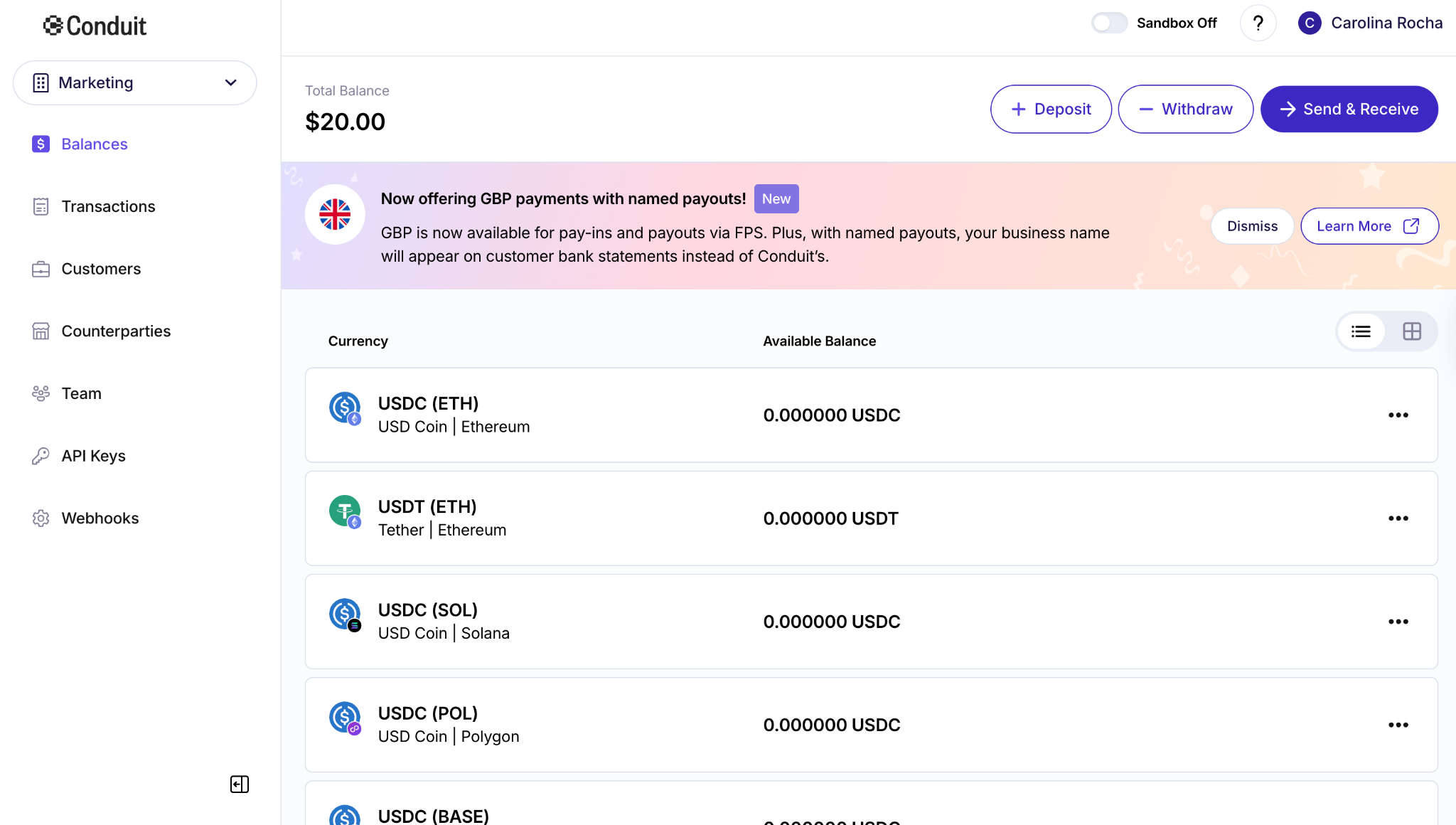
In Balances, to create a new payment, click Send & Receive.
2. Enter the transaction details and the desired rate
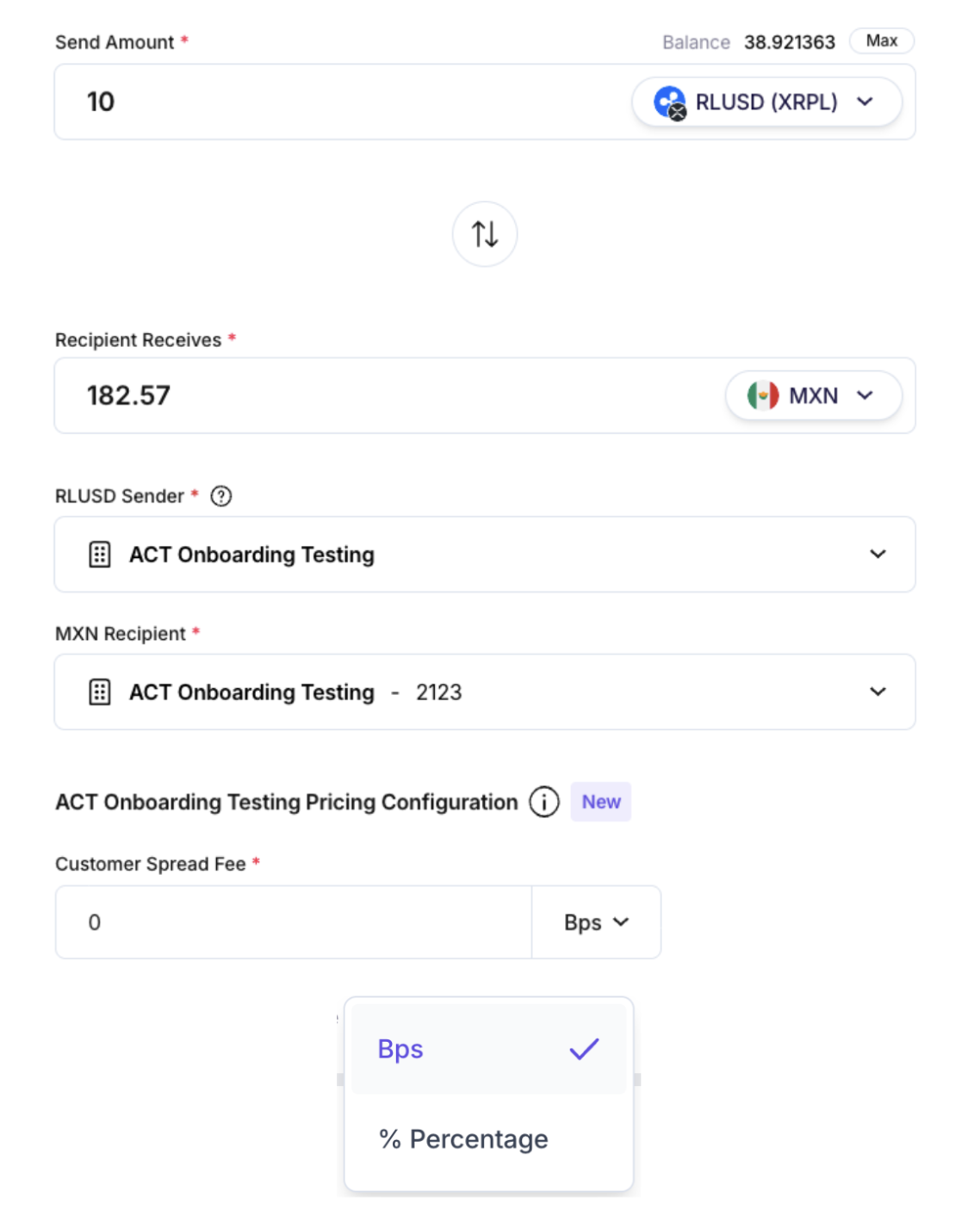
After filling in the transaction details, such as sender, recipient, and amount, apply the spread in the Customer Spread Fee field in basis points (bps) or percentage. The system will then use this value to calculate the final rate and your revenue.
Example: a 0.20% (20 bps) take rate on 10,000 USD earns you 20 USD.
3. Review the transaction details and rates
Review the transaction details and finalize the payment. You can use the copy button to ensure full accuracy over all decimal places of the fee.
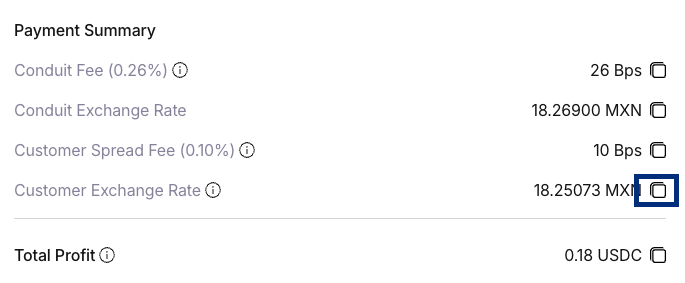
It’s worth highlighting that quote expiration is determined by the liquidity provider supplying the FX rate. Most providers use short validity windows to protect themselves against market volatility. A typical validity window is around 175 seconds.
4. Track your available revenue
Once a transaction is successfully settled, the additional revenue is secured and becomes available for tracking. Pending or failed transactions do not contribute.
Your revenue comes from the difference between the rate Conduit provides and the rate your customer receives:
Revenue = Customer Rate – Conduit Rate
This margin is automatically converted to USDC and recorded as your take-rate revenue, making it easy to track and manage your earnings.
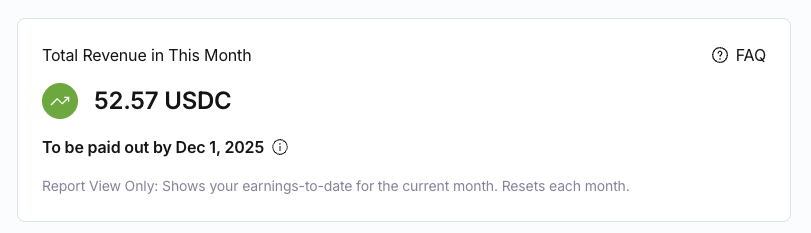
You can check the final revenue generated month-to-date directly on your account Dashboard in the Total Revenue in This Month section.
5. Receive the amounts in your Balance
The payouts of the revenue generated will be deposited into your Balance in USDC at the beginning of each month, corresponding to the revenue generated in the previous month.
Other important information:
- The feature is available for all Conduit currency pairs.
- Small differences of a few cents may occur due to internal system precision.
- Changes to the spread only affect future transactions; past transactions retain their original values.
Still have questions about the feature Customizable Take Rates?
Click here to see the Frequently Asked Questions (FAQs) of the Customizable Take Rates feature, or reach out to the Conduit support team – we’re ready to help!
Check out the FAQs or contact the Conduit support team at support@conduitpay.com
